A speed limit pops up on the dashboard just after you pass a roadside sign. A few miles later, the display changes, even though you don't remember seeing another sign. Is the car reading the road, or is it getting that number from somewhere else?
Depending on its equipment, a modern car can use a camera, navigation information, or both. The display can be helpful, but its accuracy depends on what the system can see and what information exists for your location.
A Road Sign Camera Looks For Recognizable Shapes And Symbols
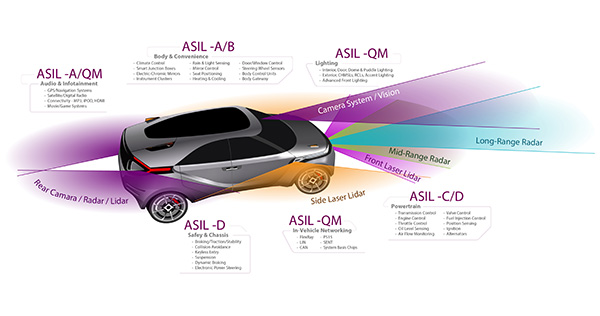
Many systems use a forward-facing camera near the top of the windshield. Software scans the image for sign shapes, numbers, and other recognizable features. When it identifies a supported sign, the vehicle can show you that information or pass it along to another assistance function.
The camera doesn't understand every roadside object the way a person does. The sign types it supports depend on the vehicle and market, so an unusual sign, a damaged number, or an unfamiliar layout may not be read correctly. It also needs a clear view of the road, so anything covering its patch of windshield can affect how it works.
Navigation Data Can Supply A Speed Limit Without A Visible Sign
Some vehicles back up the camera with stored map information about the road. That can explain a display change when you haven't just passed a visible speed sign. The system may use your location and the map's road segment to estimate the applicable limit.
Map data can lag behind a changed limit, and location errors can put the car on the wrong road segment. A frontage road running beside a highway is one example where the information may not match your lane. Updating navigation data when supported can help, but it won't make every displayed number current or correct.
Road Sign Recognition Can Confuse Nearby Signs
A sign on an exit ramp or a parallel road can slip into the camera's field of view even though it doesn't apply to your route. Signs half-hidden by trees, other vehicles, or roadside objects can be hard to interpret, too. Every so often the dashboard may flash a number that makes little sense for your road.
So compare the display with the actual signs and conditions instead of following the number automatically. A system that reads the previous sign correctly can still misread the next one, and its past accuracy doesn't make a sudden change valid. Keep that in mind near interchanges or closely spaced roads.
Weather And Windshield Condition Affect Sign Recognition
Heavy rain, fog, glare, dirt, ice, or snow can limit what the camera sees. A faded or obscured sign can trip up the system even when the windshield is clear. Nighttime lighting and reflections can also change the quality of the image the software has to work with.
Keep that part of the windshield clean following your vehicle's care instructions, and don't put stickers or accessories where they'd block the camera. If a feature becomes unavailable in poor conditions, note whether it comes back afterward. A warning that sticks around in clear conditions, or starts after glass work, needs a closer look, not just another round of cleaning.
Conditional Speed Limits Need Careful Interpretation
A speed limit can depend on the time of day, the weather, the vehicle class, or a flashing indicator. Some recognition systems can pick up certain supplementary information, but capability varies. The display may show the main number without fully accounting for the conditions printed beneath it.
School zones and temporary construction changes are exactly where your own eyes matter most. The system may also miss a sign that lifts an earlier restriction. Check the owner's manual for what your vehicle supports and how it handles uncertainty. The dashboard helps you notice information. It doesn't interpret every sign on the route.
Speed Sign Recognition Does Not Always Change Vehicle Speed
Some cars simply display the recognized limit. Others warn you when you go over it or suggest a change to your cruise control. More integrated systems may adjust a speed setting when you turn on a particular function. Don't assume these behaviors are interchangeable just because they share the same camera information.
Review these points before you rely on a speed-related feature:
- Whether it only displays information or can change a speed setting.
- Whether a proposed change needs your confirmation.
- How to override the setting and respond to an incorrect limit.
You're still responsible for controlling your speed and responding to traffic, weather, and the road ahead.
Road Sign Camera Service May Require Calibration
Certain windshield replacements, camera work, and related repairs call for calibration under the manufacturer's procedure. Calibration sets the camera's required relationship to the vehicle and the road. A camera that still produces an image may not be positioned correctly for every assistance function.
Requirements differ by vehicle and repair. Some use a specified target setup, some need a prescribed drive, and others use both. If the displayed limits keep going wrong after a repair, tell us when the change began. The inspection should check camera mounting, stored faults, map information, and the applicable calibration procedure instead of assuming the camera must be replaced.
Get Road Sign Camera Inspection In Visalia, CA, With DS Auto Experts
DS Auto Experts in Visalia, CA, can inspect persistent camera warnings or changes in road sign recognition. We can check the relevant components and explain whether your vehicle needs a repair, an update, or a specific calibration.
Contact us to schedule an inspection of your vehicle's road sign recognition concerns.